How to Stop Clicking on Phishing Emails (And Protect Yourself Online)
What Is Phishing?
1/4/20261 min read


Phishing is a type of cyberattack where scammers pretend to be trusted companies or people to trick you into clicking malicious links or sharing sensitive information.
These emails often look urgent, official, and convincing.
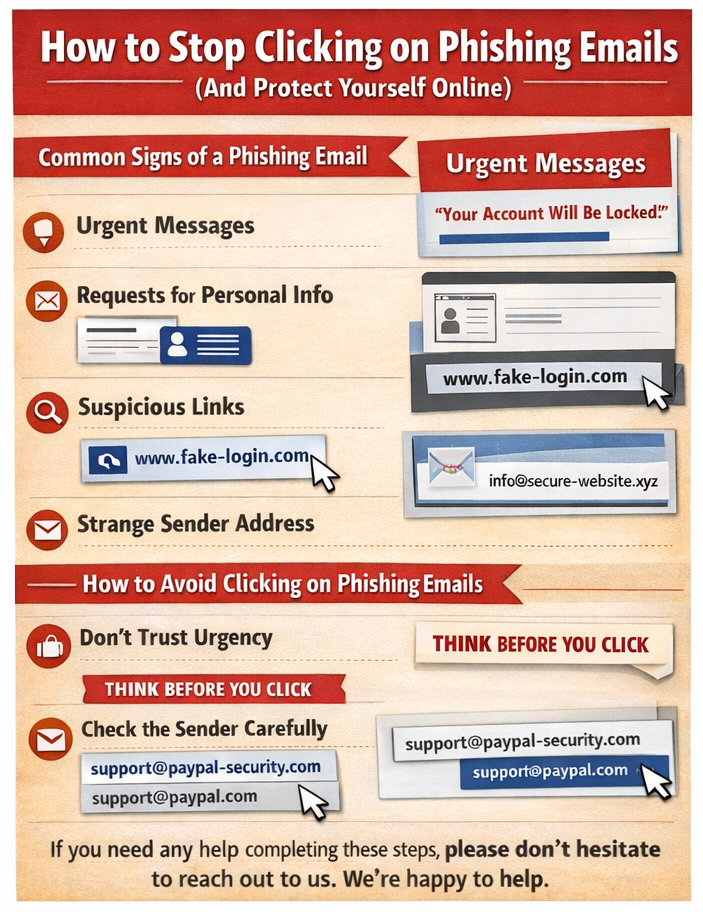
Common Signs of a Phishing Email
🚩 Watch out for:
Urgent messages like “Your account will be locked”
Requests for passwords or personal info
Misspelled words or strange grammar
Suspicious sender email addresses
Links that don’t match the company website
How to Avoid Clicking on Phishing Emails
1. Don’t Trust Urgency
Scammers rely on panic. Legitimate companies rarely pressure you to act immediately.
Pause and think before clicking.
2. Check the Sender Carefully
Look beyond the display name.
Verify the actual email address.
Example:
3. Hover Over Links
Before clicking:
Hover your mouse over the link.
Check the real URL at the bottom of your browser.
If it looks suspicious—don’t click.
4. Never Open Unknown Attachments
Attachments can contain malware.
If you weren’t expecting it, don’t open it.
5. Enable Spam Filters
Keep email spam filters turned on.
They block many phishing emails automatically.
6. Use Multi-Factor Authentication (MFA)
Even if your password is stolen, MFA adds an extra layer of protection.
What to Do If You Clicked a Phishing Link
Disconnect from the internet.
Run a full antivirus scan.
Change your passwords immediately.
Report the email to your IT team or email provider.
Final Thoughts
Phishing attacks are getting smarter—but awareness is your best defense. By slowing down, checking details, and following basic security habits, you can protect your personal and professional information.